OUTPOST

Fashion Product Designer

Overview

Outpost is a social platform built around verified and visible ownership. Fashion, art, and other collectibles live in a public wardrobe, giving users a space to share what they actually own.

Problem

Social platforms prioritize visibility and engagement over credibility. Products are shared as images, with no proof of purchase and no system to distinguish what is real. As a result, it becomes hard for brands and creators to build trust or real product visibility.

Solution

Outpost integrates commerce into the social layer. Items bought through the platform are authenticated, and surfaced in a public wardrobe. As collections are viewed and shared, purchases drive organic exposure (word-of-mouth) for both users and brands.

Year

2026

Category

Fashion

Role

Product Designer

Scope

Product Design
App
Interaction
Brand Identity

Core Navigation System

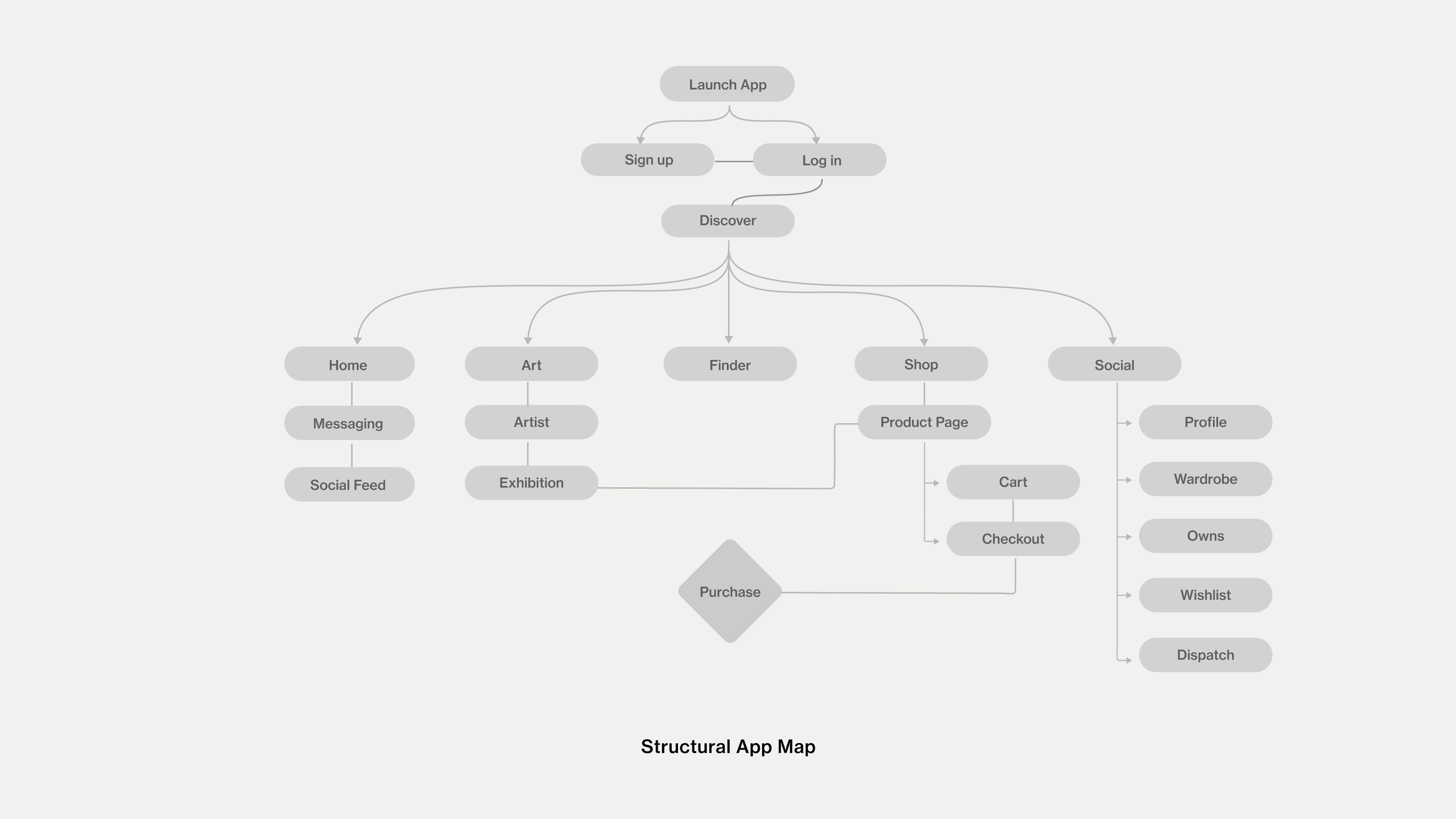
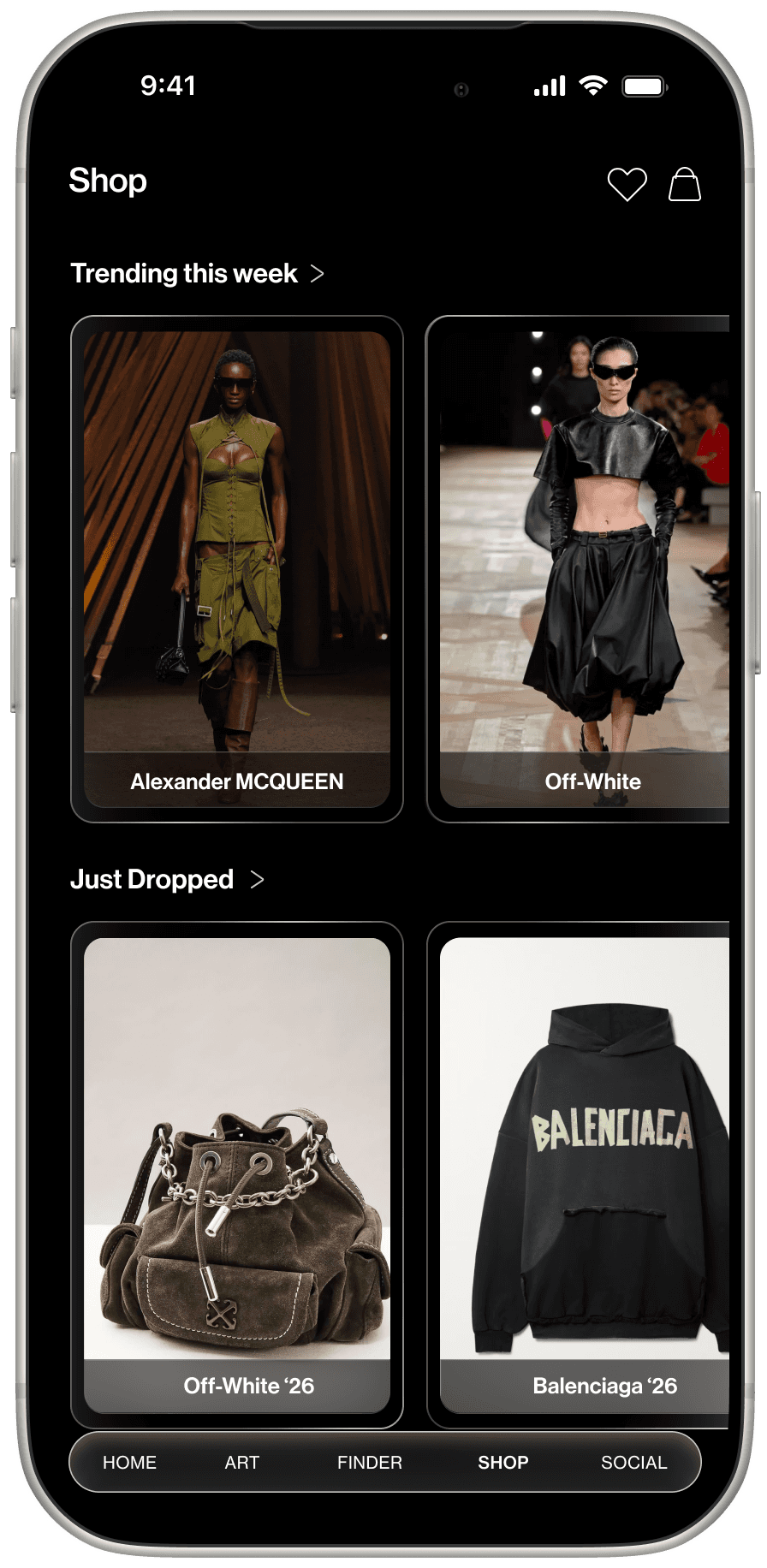
Outpost is structured around five environments: Home (feed activity), Art (discovery), Finder (search), Shop (transaction), and Social (profile + collection). Each surface ultimately feeds the Social layer, where purchases and activity are displayed.

Outpost is structured around five environments: Home (feed activity), Art (discovery), Finder (search), Shop (transaction), and Social (profile + collection). Each surface ultimately feeds the Social layer, where purchases and activity are displayed.

How the System Works

Outpost turns purchase history into a visible layer. All items bought through the app populate Owns with details and resale options. From there, users curate their Wardrobe and shares through Dispatch, moving ownership into the social feed

Outpost turns purchase history into a visible layer.
All items bought through the app populate Owns with details and resale options. From there, users curate their Wardrobe and shares through Dispatch, moving ownership into the social feed

Wardrobe System

The wardrobe shows the items a user actually owns. Every piece comes from a recorded purchase and cannot be manually added.

“February Rotation 9.3” is a monthly wardrobe score based on what is being shown and how it performs socially. It changes as the user rotates pieces or gains engagement.

Profile view shows how the wardrobe is arranged.

Wardrobe System

The wardrobe shows the items a user actually owns. Every piece comes from a recorded purchase and cannot be manually added.

“February Rotation 9.3” is a monthly wardrobe score based on what is being shown and how it performs socially. It changes as the user rotates pieces or gains engagement.

Profile view shows how the wardrobe is arranged.

Owner View vs Public View

The left screen shows the account holder’s view. They can see the resale options, and controls like “Sell.” This is a management layer for items they personally own.

The right screen shows how others see the same profile. The inventory is visible, but "Sell" controls are removed.

Owner View vs Public View

The left screen shows the account holder’s view. They can see the resale options, and controls like “Sell.” This is a management layer for items they personally own.

The right screen shows how others see the same profile. The inventory is visible, but "Sell" controls are removed.